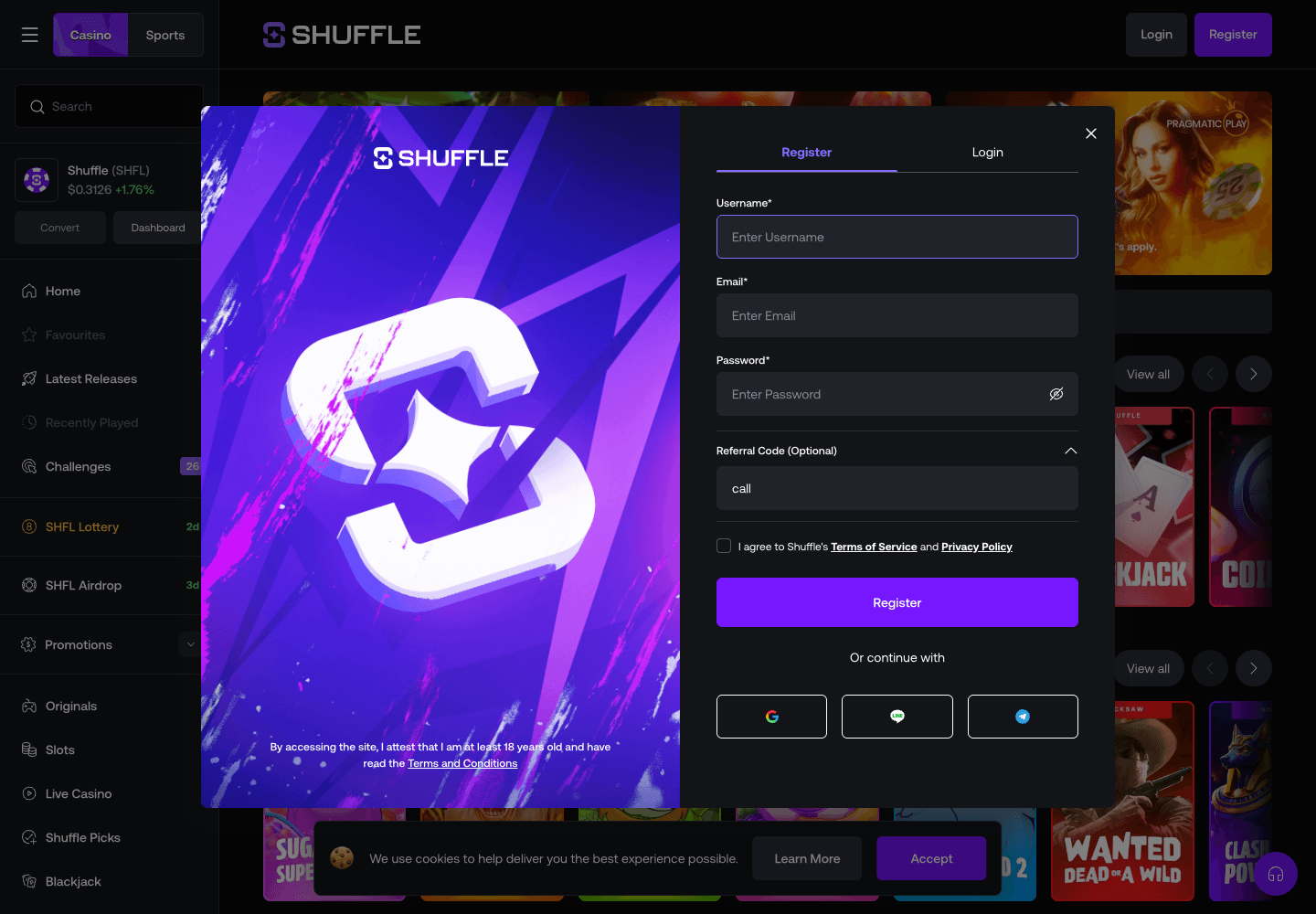
Confirm the offer and identity requirements
CALL is this site’s Shuffle.com referral code. The site owner supplied a support reply about the general first-deposit offer and confirmed that it applies across referral codes. This is not an exclusive CALL bonus. Confirm account eligibility and activation with Shuffle before depositing. An extra CALL rakeback rate and account-level attribution have not been independently verified.
Shuffle’s terms require a government-issued identity-document check before the first withdrawal. Additional identity, address or source-of-funds checks may also apply.
Official Shuffle rulesOpen the correct Shuffle registration page
Use the exact shuffle.com hostname and open Register. The CALL campaign link is https://shuffle.com?r=call.
Open https://shuffle.com?r=call and confirm that you are on the official shuffle.com domain. The referral parameter connects the registration path to code CALL.
Do not rely on a copied screenshot of an offer. Promotions can change between visits, countries and account types.
Choose a supported signup method
Shuffle currently supports registration with a username, email and password, or with an existing Google, Line or Telegram account.
If you use the standard form, choose a unique username, enter an email address you control and create a password that is not reused elsewhere. If you choose a connected account, verify that the provider prompt belongs to the expected Google, Line or Telegram domain before approving it.
Enter accurate registration information and complete any required age or location checks. Shuffle’s terms generally allow one account per player, so do not create a second account to retry a code or promotion.
Store login details securely and never share a password, wallet seed phrase or two-factor code with a person claiming to be support.
Verify CALL before registration
Check the optional referral-code field before pressing Register. Our link filled it with call in lower case when we observed the public form on 15 September 2026.
If the field is empty, copy CALL from this page and enter it in the referral field. A visible code does not confirm account attribution or an extra reward. If a different code is already attached, ask official support; do not assume it can be replaced later.
Shuffle says support may add a missing code only when the account is no older than seven days, has less than $10,000 in wagered volume and does not already have a referral code. Using the right field before registration avoids relying on that exception.
Official late referral-code policySecure and verify the new account
Confirm the email address if prompted and enable two-factor authentication from the account security settings. Save recovery information somewhere separate from the device used to sign in.
Account creation does not guarantee that every product, promotion or withdrawal method is available. Location, age, identity and source-of-funds checks can still apply under the current terms.
Checks to complete before the first deposit
Confirm the referral code, read the current welcome terms and verify that the selected cryptocurrency and blockchain network match the sending wallet.
- The referral field shows the code, or official support has confirmed it
- The bonus terms are saved or understood
- Asset, network and deposit address match
- A personal loss and time limit is set